
XieXie Master 3.0 谢谢大师
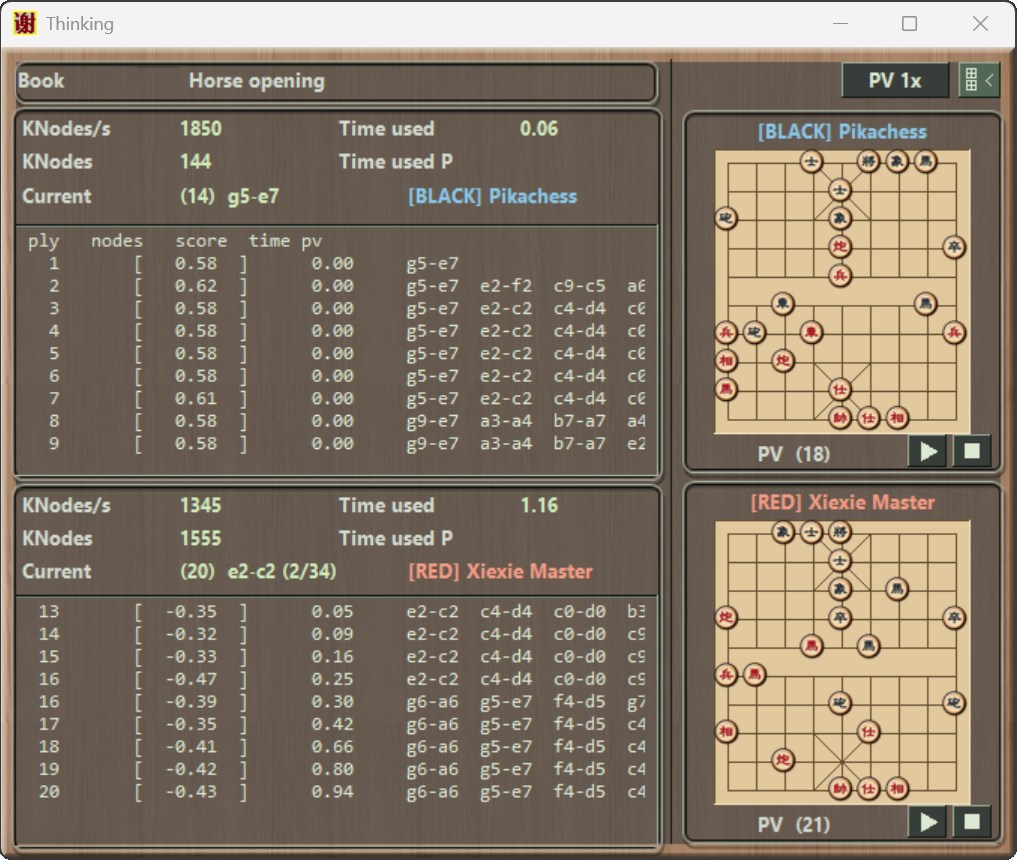
From the author of XieXie, 2004 World Computer Chinese Chess Champion: a complete Windows workspace to play, study and analyse XiangQi, built for players of every nation — run the XieXie engine or your favourite one, and see every game in a completely redrawn board.
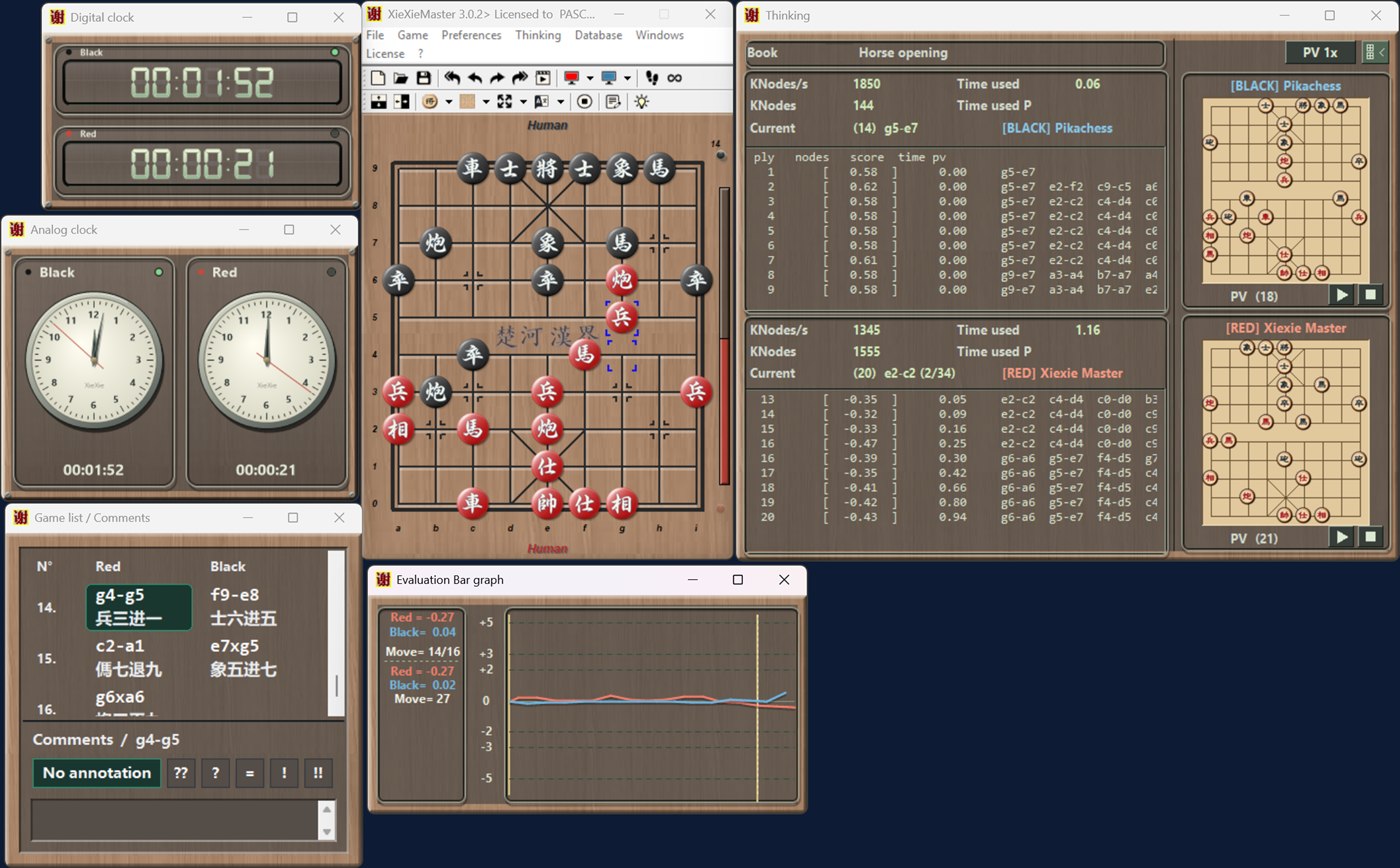
- Run XieXie Master — or your favourite engine — play and analyse with our engine, or bring the one you trust: Pikafish or any UCI/UCCI engine, for Red, Black or both. Save each engine as a profile and switch in one click.
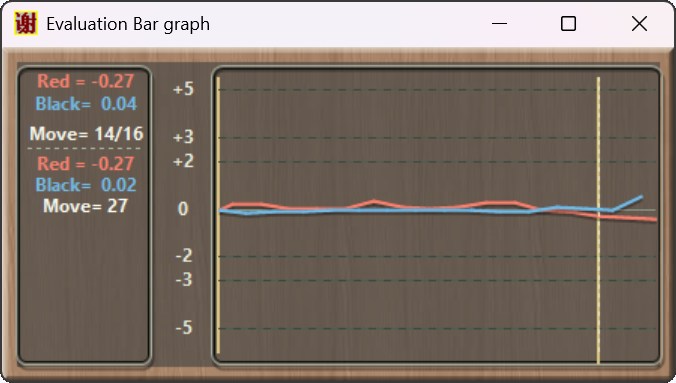
- See who is winning, move by move — a stronger evaluation, plotted across the whole game in the new Evaluation Bar graph.
- Deeper analysis in the same time — the engine now thinks on several CPU cores at once.
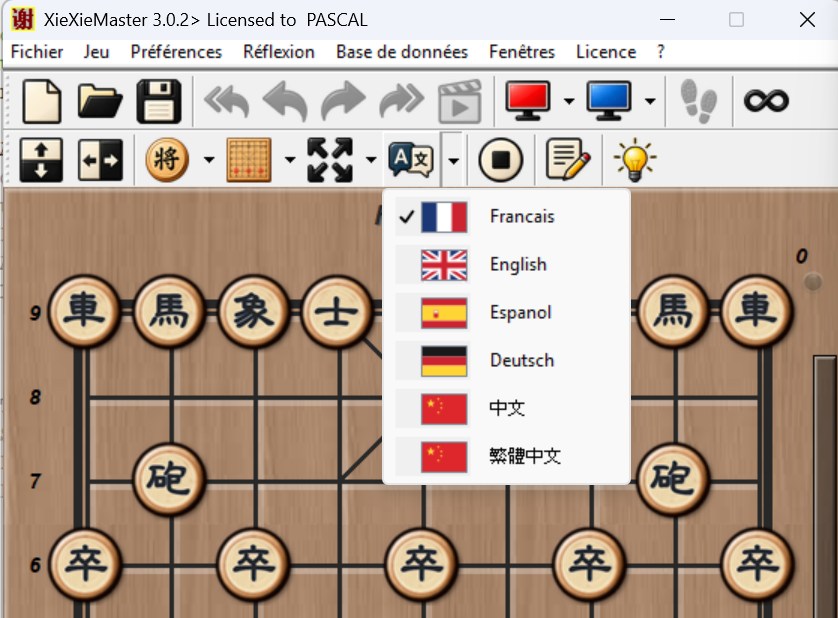
- Speaks your language — English, Français, Español, Deutsch, 简体中文 and 繁體中文: switch the whole interface in one click.
- A board you will enjoy — redrawn pieces, a sharper board and a refreshed interface throughout.
Not sure yet? Download the free XieXie Freeware 2.5 and try our engine first.
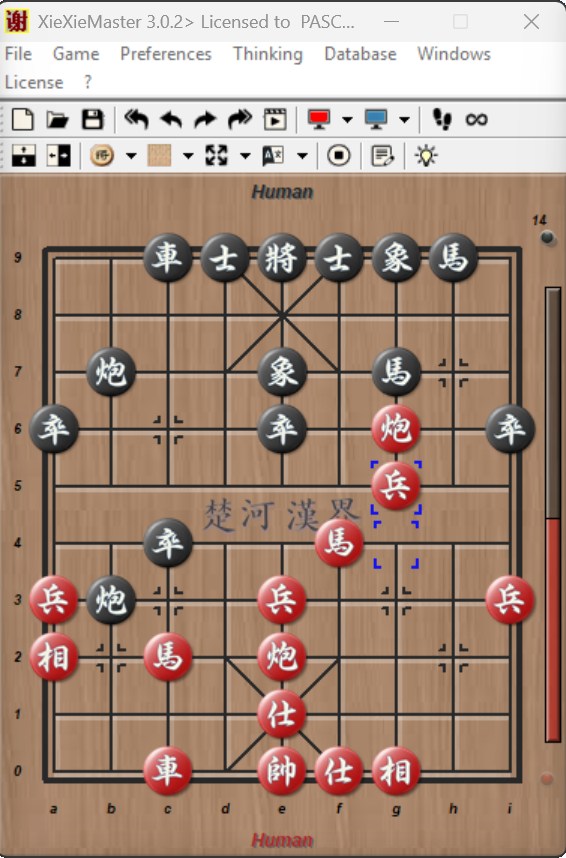
Analyse with the strongest engines
Free engines like Pikafish are very strong — but an engine alone is not a study tool. Plug Pikafish or any UCI/UCCI engine into XieXie Master and get the evaluation graph, live principal variations, annotations and a game database around it.
Annotate and keep your games
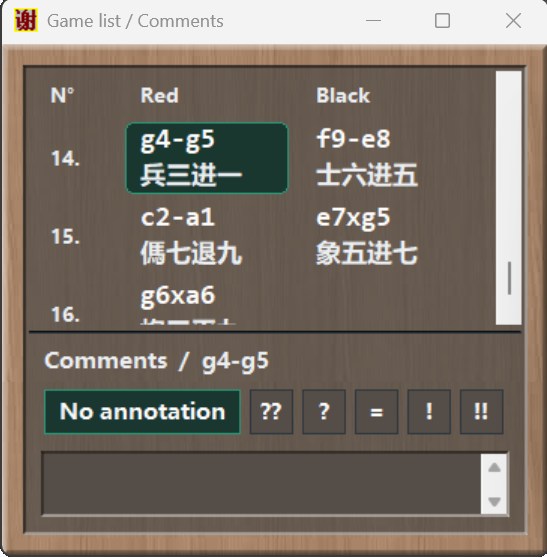
Chinese (兵三进一) and coordinate notation, one-click move marks (?? ? = ! !!), a comment on every move, and databases to store and replay your games.
Learn at your own pace
Learn the rules, solve illustrated puzzles and compare tournament rulings in the Xiangqi guide, also en français.
| Windows | Windows 11, 10, 7 and XP |
|---|---|
| Memory | 4 GB RAM |
| Languages | English, Français, Español, Deutsch, 简体中文, 繁體中文 |
| Engines | Built-in XieXie engine + any external UCI / UCCI engine (e.g. Pikafish) |
| Notation | Chinese (兵三进一) and coordinate (h2-e2) |
| Price | USD 19, one-time payment via PayPal — see all offers |
| Free version | XieXie Freeware 2.5 |